Automation Overview
Fulfiro's automation engine runs rules on incoming orders to automatically tag, categorize, and update them. Instead of manually reviewing every order, define rules once and let Fulfiro handle the repetitive work. No code, no Zapier, no middleware.
Simpler than Shopify Flow, built specifically for WooCommerce operations.
Set up Automation if: You find yourself doing the same thing to certain orders every day -- tagging VIPs, flagging international orders, marking wholesale. If you can describe the pattern in one sentence, you can automate it.
Skip it if: Every order gets the same treatment and you do not need to categorize or route them. You can always come back to it later.
How it works
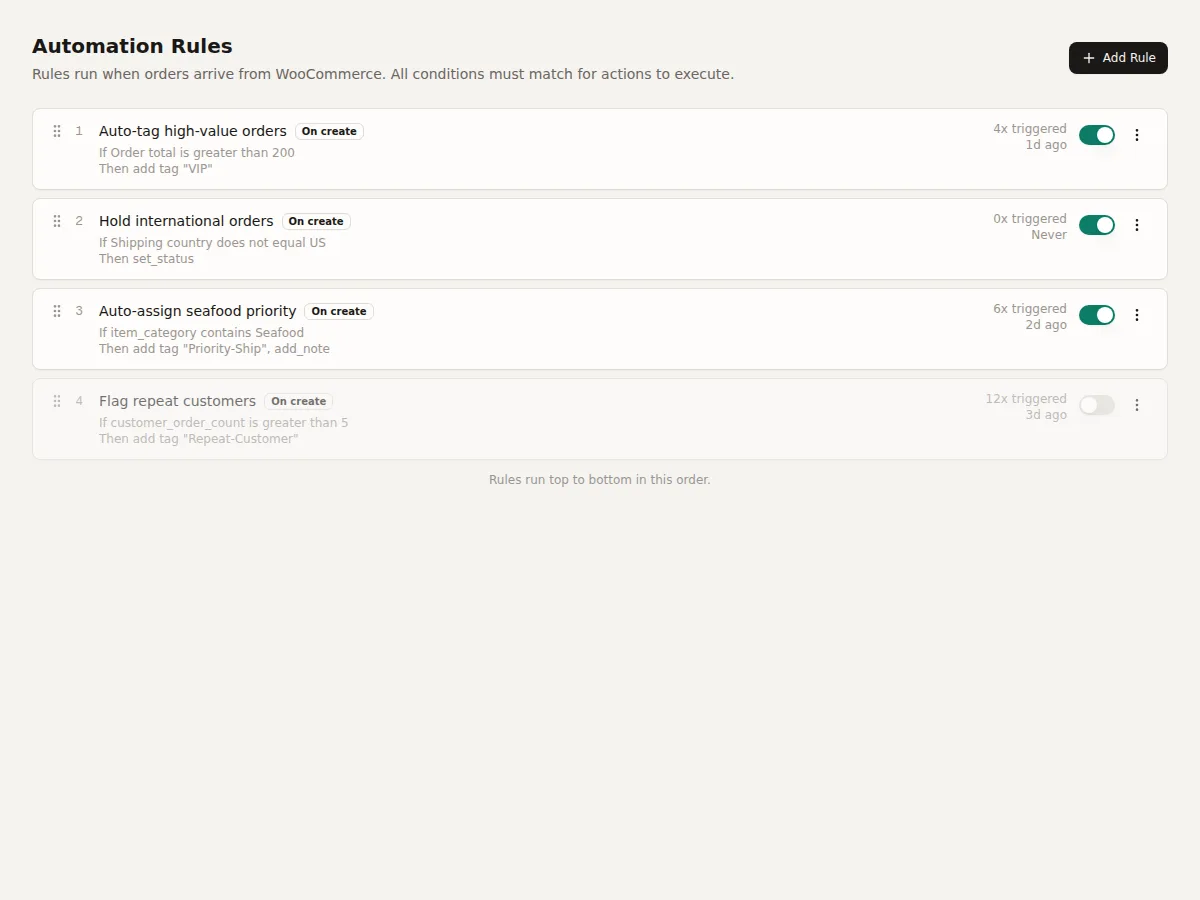
Each rule has:
- Trigger -- When the rule runs (e.g., when a new order arrives)
- Conditions -- What the order must match (e.g., total > $500 AND country = US)
- Actions -- What to do (e.g., add tag "VIP", set custom field "Priority" to "High")
Rules run in priority order. Multiple rules can match the same order.
New to automation? Start with the Real-World Examples page to see what is possible, then come back to create your own.