Store Sync Health and Troubleshooting
Each connected store has a sync health page showing detailed diagnostics.
Accessing sync health
Go to Settings > Stores and click your store name.
What you see
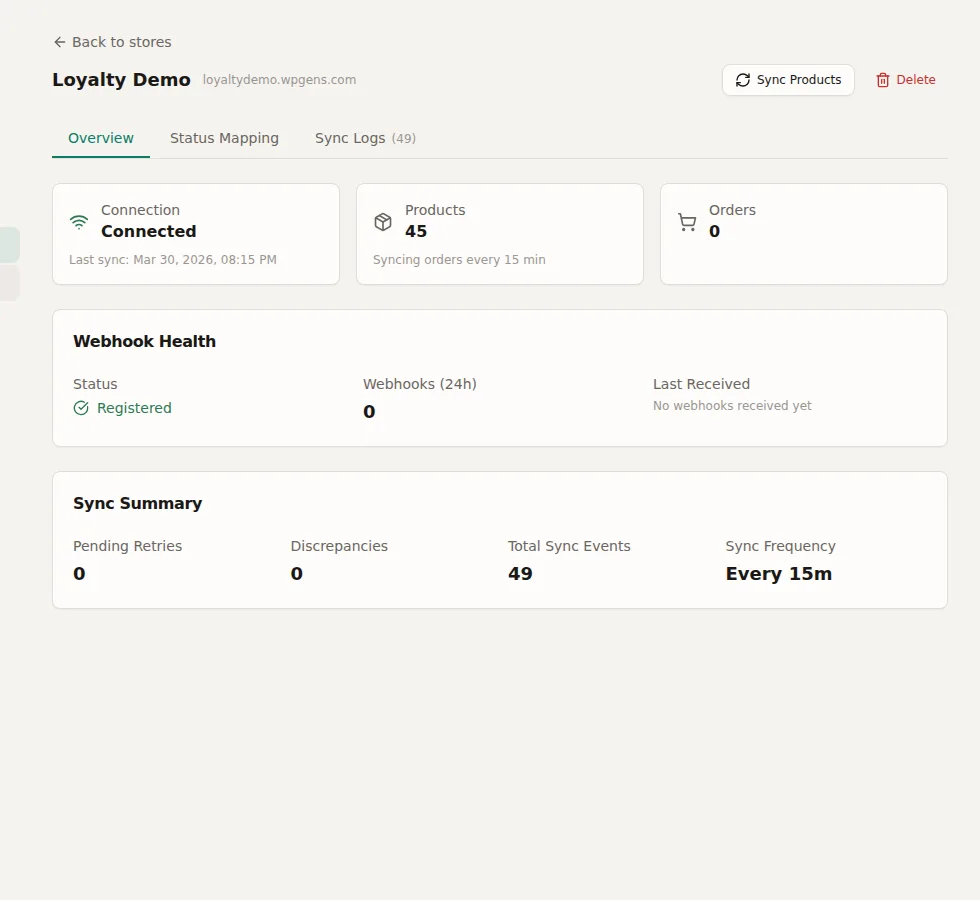
- Connection status -- Connected, disconnected, or error
- Last sync time -- When the last successful sync completed
- Webhook health -- Number of webhooks received in the last 24 hours, last product and order webhook timestamps
- Sync logs -- Paginated list of sync events with status (success/failure) and details
- Retry queue -- Failed operations queued for retry
- Discrepancy count -- Number of unresolved stock discrepancies
Troubleshooting
- Not syncing? Check the connection status. Try clicking Reconnect. See Sync Not Working.
- Webhooks not arriving? See Webhooks Not Firing.
- Errors in sync log? Check the error details for API failures or authentication issues.
---
### Technical Concepts