Purchasing Overview
The Purchasing module helps you stop guessing what to reorder and when. Every stockout is a customer who buys from your competitor. Every excess order locks up cash in your warehouse instead of your bank account. Fulfiro shows you exactly what to reorder, how much, and when.
Enable Purchasing if: You buy inventory from suppliers and want data-driven reordering instead of gut-feel spreadsheets. You have at least one regular supplier and place restock orders more than once a month.
Skip it if: You dropship everything, manufacture on demand, or source inventory ad hoc. The module adds navigation you will not use.
Enabling purchasing
Go to Settings > Organization > Modules and toggle Purchasing on. The Purchasing section (Purchase Orders, Suppliers, Reorder) appears in the sidebar.
Key features
- Smart reorder suggestions based on sales velocity -- no more "I thought we had that in stock" surprises
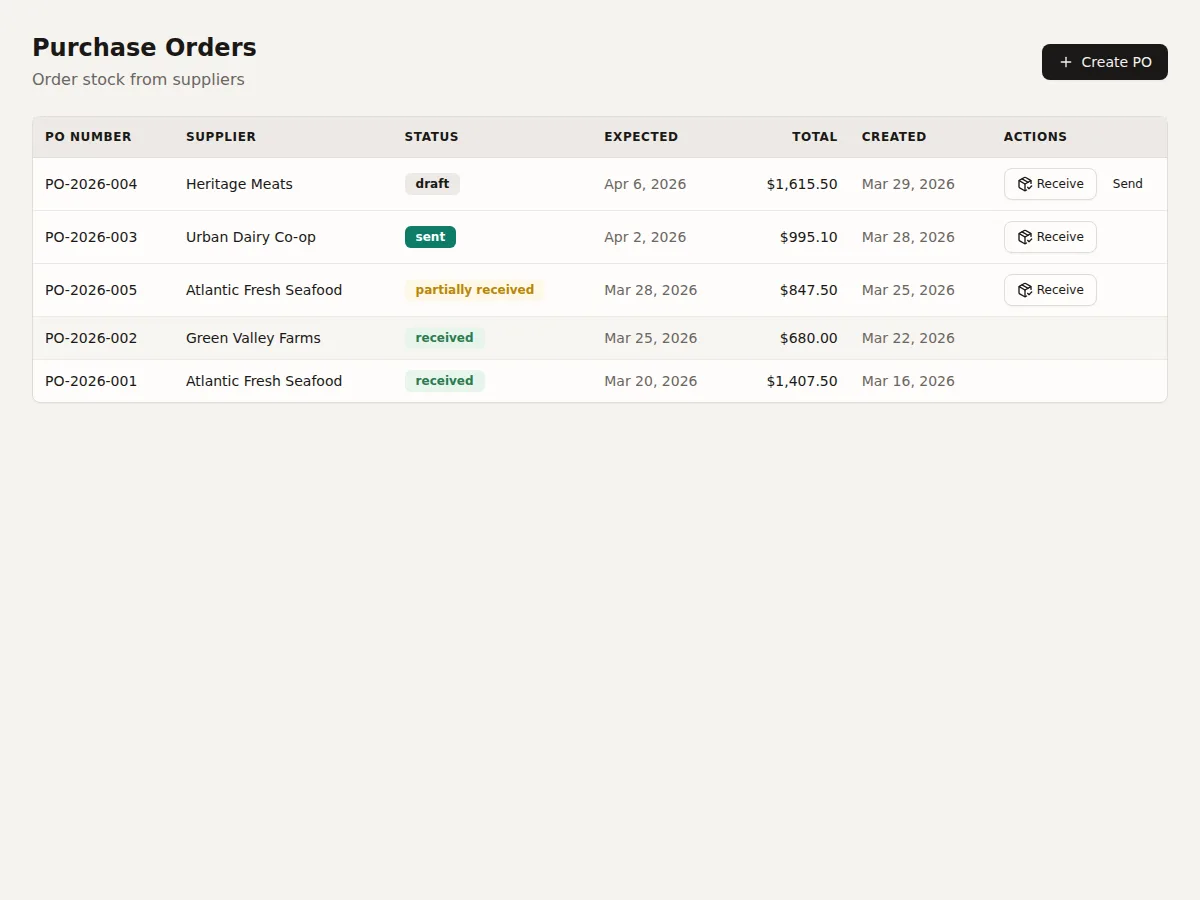
- Full PO lifecycle: Draft, Sent, Partially Received, Received. See Creating Purchase Orders.
- Partial delivery support -- because deliveries rarely arrive complete
- Supplier management with lead times that feed into reorder calculations
- Incoming stock visibility -- PO quantities appear in stock calculations so you do not double-order