Organization Settings
The Organization page controls settings that affect your entire workspace.
Organization name
Change the name of your organization. This is displayed in the UI and on packing slips.
Modules
Toggle which feature areas are visible. See Module Toggles for details.
Multi-Location Inventory
Toggle on to track stock at multiple warehouses. See Multi-Location Inventory.
Assemblies & Bundles
Toggle on to access kit/bundle features. See Assemblies & Bundles.
Order Holds
Toggle on to enable B2B order hold functionality.
Packing Mode
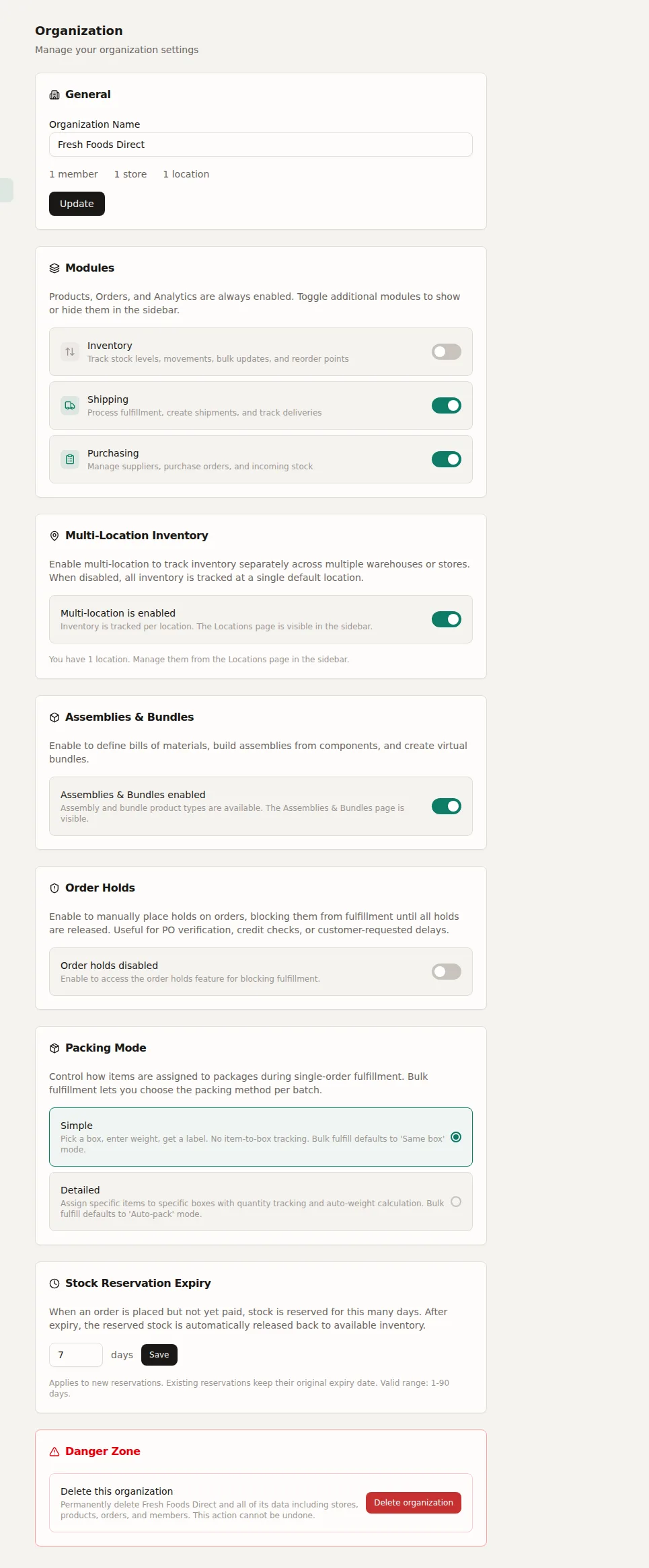
Choose Simple or Detailed. See Packing Modes.
Reservation Expiry
Set how long stock reservations last before auto-releasing (1-90 days). See Reservation Expiry.
Danger Zone
Delete your organization. This permanently removes all data including stores, products, orders, and members. Requires typing your organization name to confirm.