Order Detail Page
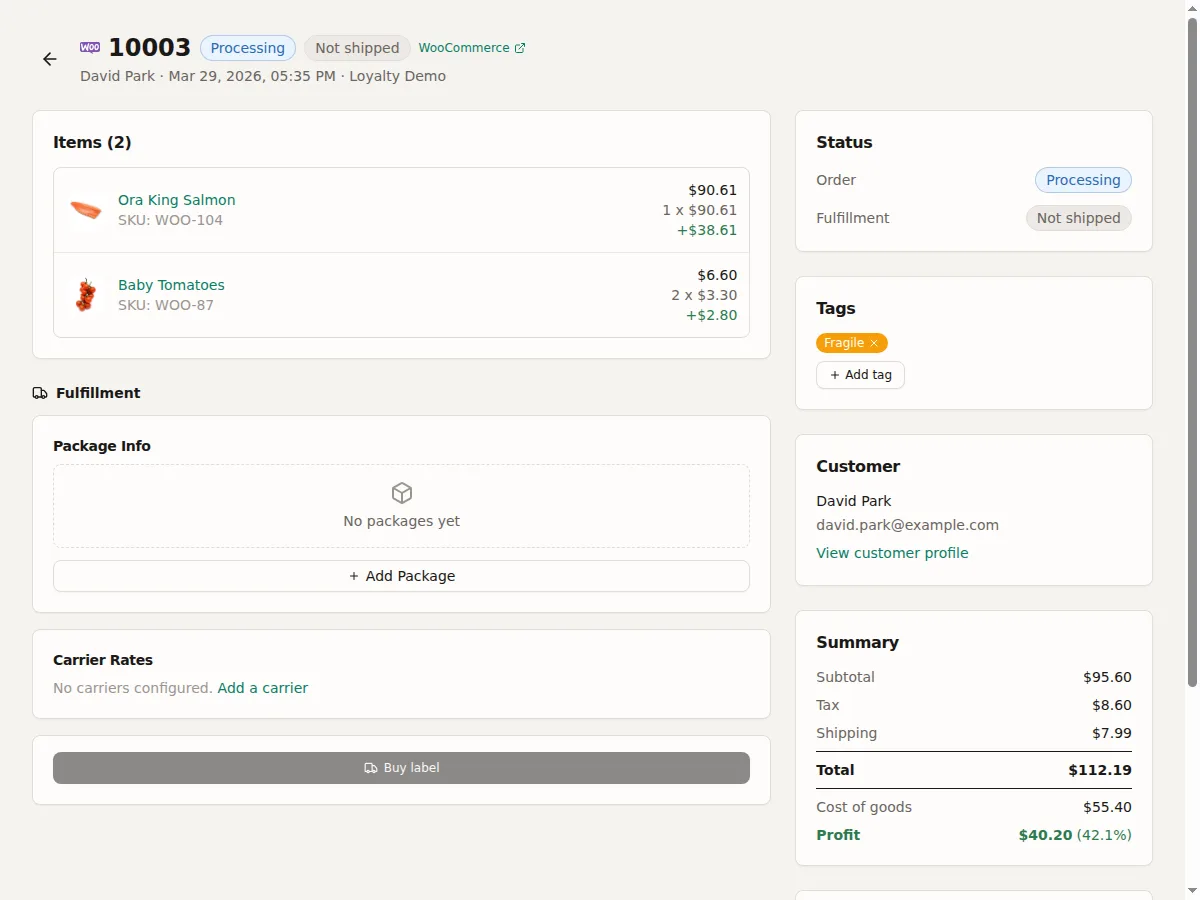
Click any order to open its detail page. This is your command center for a single order.
Customer info -- Name, email, billing and shipping address.
Line items -- Each product in the order with quantity, price, and stock availability. Hover over the availability badge to see a per-item breakdown of on hand, reserved, available, and needed quantities.
Fulfillment section -- Shows completed shipments (with tracking info) and a fulfillment widget for remaining items. See Fulfilling a Single Order.
Order holds -- If order holds are enabled, this section shows active holds that block fulfillment.
Activity log -- A timeline of every event: order created, status changes, stock reserved/deducted/released, shipments created, labels purchased, holds applied/released, notes updated. See Order Activity Log.
Actions
- Change order status
- Add/remove tags
- Set custom field values
- Add holds (if enabled)
- Create shipments. See Fulfilling a Single Order.
- Update notes