Order Profit and Margin Tracking
Fulfiro calculates profit and margin for every order so you know which orders and products are actually making you money.
How it works
For each line item:
- Revenue = quantity x unit price
- Cost = quantity x cost price
- Profit = revenue - cost
- Margin = profit / revenue
The order total shows aggregate revenue, cost, profit, and margin percentage.
Where to see it
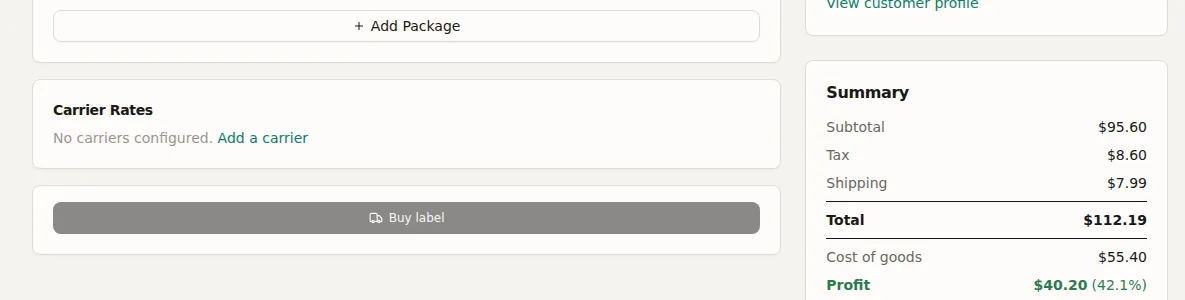
Profit appears on the order detail page and in the fulfilled orders tab. The dashboard shows aggregate profit potential for your inventory.
Setting cost prices
Cost prices sync from WooCommerce if you use a cost price plugin, or you can set them manually on the product detail page. You can also import cost prices via QuickBooks CSV import or regular CSV import.