Product Detail Page
Click any product name to open its detail page. This is everything about a single product in one place.
Stock overview
- On Hand, Reserved, and Available quantities
- Stock status badge (In Stock / Low Stock / Out of Stock)
- Reorder point (if set)
- Per-location breakdown (if multi-location is enabled)
Product information
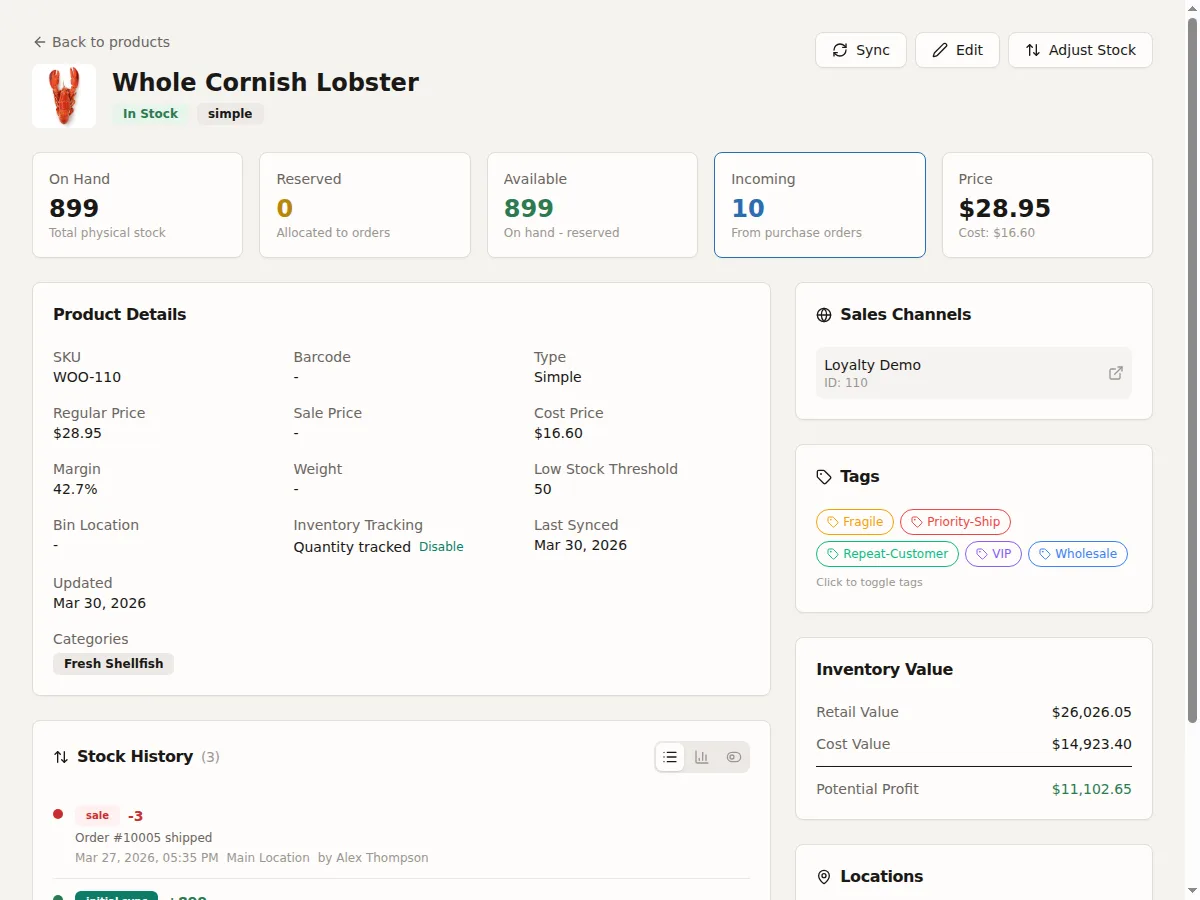
- Name, SKU, barcode
- Retail price and cost price
- Categories and attributes
- Weight and dimensions (used for shipping calculations)
- Bin location (warehouse shelf identifier for picking)
- HS code and country of origin (for customs, only shown if populated)
- Link to the product in WooCommerce admin
Stock movement history
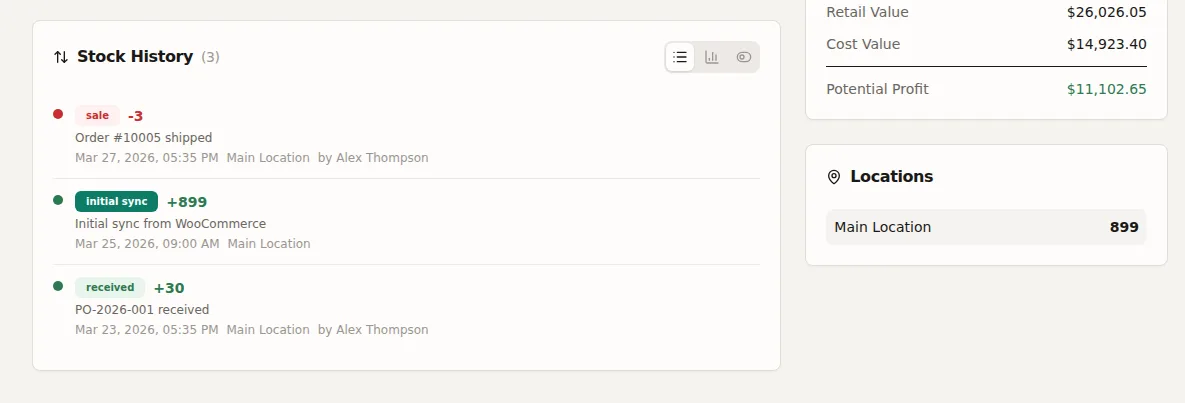
A chronological timeline of every stock change for this product. Each entry shows movement type, quantity change, reason, reference, and who made the change. See Stock Movements for the full audit trail.
For variable products
The detail page shows all variations with their individual stock levels. You can adjust stock for each variation independently.
For kit products
The detail page shows the bill of materials (BOM) -- which components make up this kit and how many of each. It also shows the available to build count.
Actions available
- Adjust stock quantity
- Resync this product from WooCommerce
- View in WooCommerce (opens the WC edit page)