Stock Movements and Audit Trail
Every stock change in Fulfiro is recorded. Nothing changes silently. This is your complete audit trail.
Viewing movements
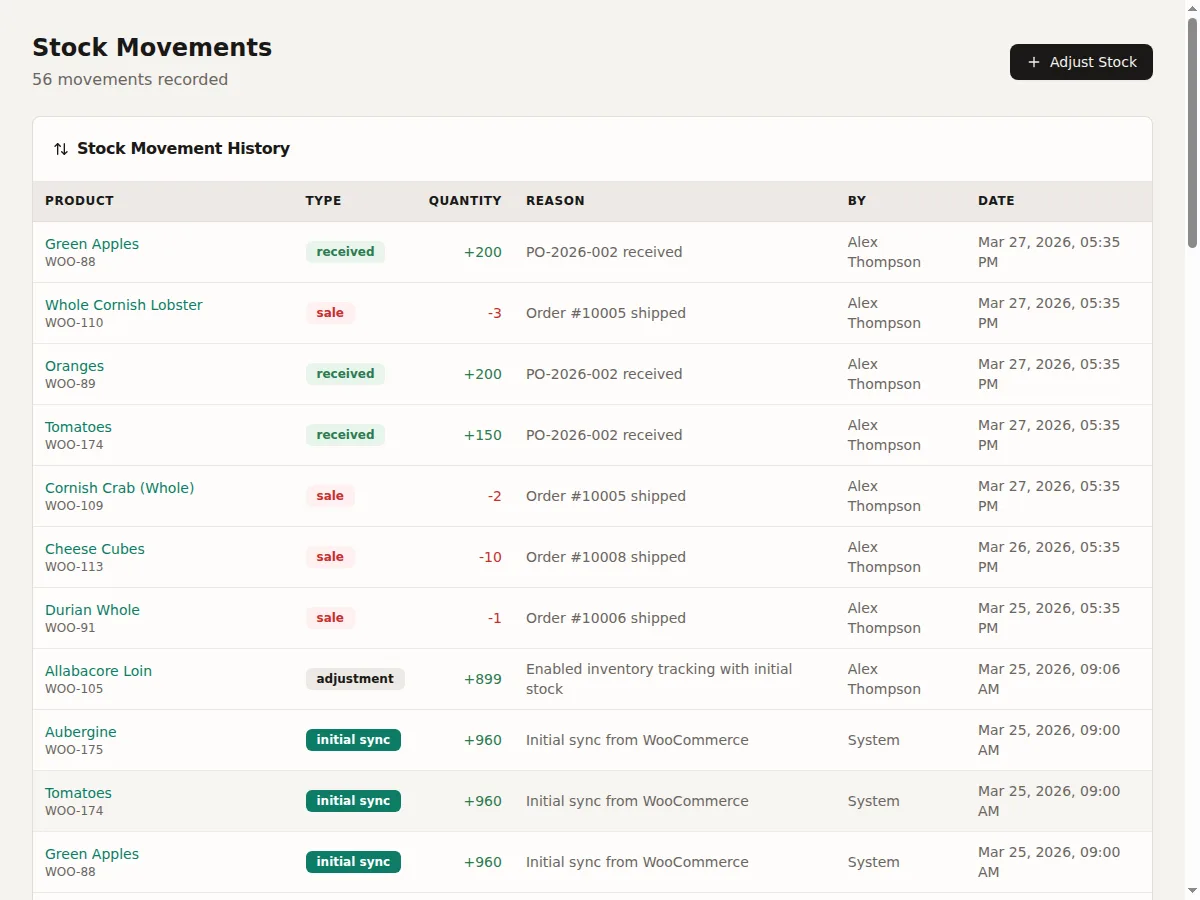
Navigate to Stock Movements in the sidebar. The table shows:
- Date and time
- Product name and SKU
- Movement type
- Quantity (positive for inbound, negative for outbound)
- Reason
- Reference (order number, PO number, etc.)
- User who made the change
Movement types
| Type | Meaning |
|---|---|
| Adjustment | Manual stock adjustment |
| Sale | Stock deducted when an order is paid/completed |
| Return | Stock returned from a refunded order |
| Received | Stock received from a purchase order |
| Damaged | Stock written off as damaged |
| Transfer In | Stock received from another location |
| Transfer Out | Stock sent to another location |
| Counted | Physical count adjustment |
| Kit Assembly | Components consumed during kit assembly |
| Kit Disassembly | Components returned during disassembly |
| Initial Sync | Stock set during first WooCommerce sync |
| Reservation | Stock reserved for a pending order |
| Reservation Release | Reserved stock released (order cancelled or expired) |
| CSV Import | Stock changed via CSV import |
| WooCommerce Change | Stock changed externally in WooCommerce. See Discrepancies. |
| Reconciliation | Adjustment from discrepancy resolution |
Filtering
Filter by product, movement type, date range, or user.
Related: Stock Consistency | Product Detail Page (per-product movement history)