Products Overview
The Products page is where you see your entire catalog. Products sync from your connected WooCommerce store and update in real time via webhooks.
The products table
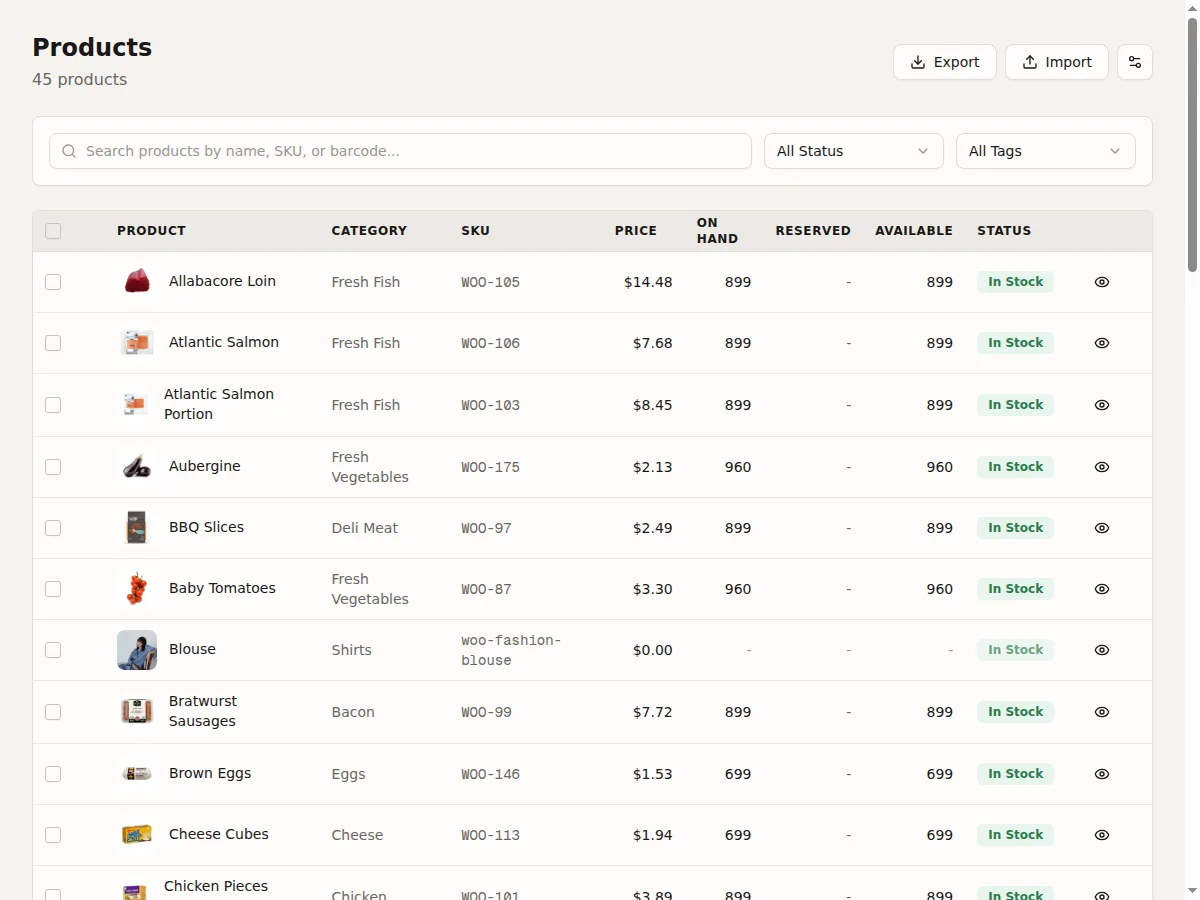
The table shows all your products with customizable columns:
- Product -- Name, image thumbnail, and SKU
- Type -- Simple, Variable, or Variation. See Product Types.
- Status -- In Stock (green), Low Stock (amber), Out of Stock (red). See Stock Status.
- On Hand -- Total physical stock across all locations
- Reserved -- Stock held for pending orders. See Reservations.
- Available -- On Hand minus Reserved. This is what can be sold. See Stock Levels Explained.
- Days Left -- Estimated days until stockout based on sales velocity
- Price -- Current retail price
- Cost -- Cost price (for margin calculations)
Variable products
Variable products (like a T-shirt with sizes) show as a parent row with an expand arrow. Click to see all variations underneath with their individual stock levels, SKUs, and prices. See Product Types.
Searching and filtering
- Use the search bar to find products by name or SKU
- Filter by stock status: All, In Stock, Low Stock, Out of Stock
- Filter by store if you have multiple stores connected
- Filter by product tag
Column customization
Click the column settings icon to show or hide columns. Your preferences are saved per user.
What you can do from this page
- Click a product name to open the Product Detail Page
- Click the stock adjustment icon to adjust stock inline
- Export products to CSV. See CSV Import and Export.